User Guide

From zero to autopilot

Everything you need to connect Bybit, fund your account and put the Sinda algorithms to work — in six clear chapters.

Scroll to begin

The ecosystem

One ecosystem, built to make trading simple

SINDA Group is a trading infrastructure powered by proprietary algorithms — designed to make trading simple, profitable and safe.

Professional tools, one place

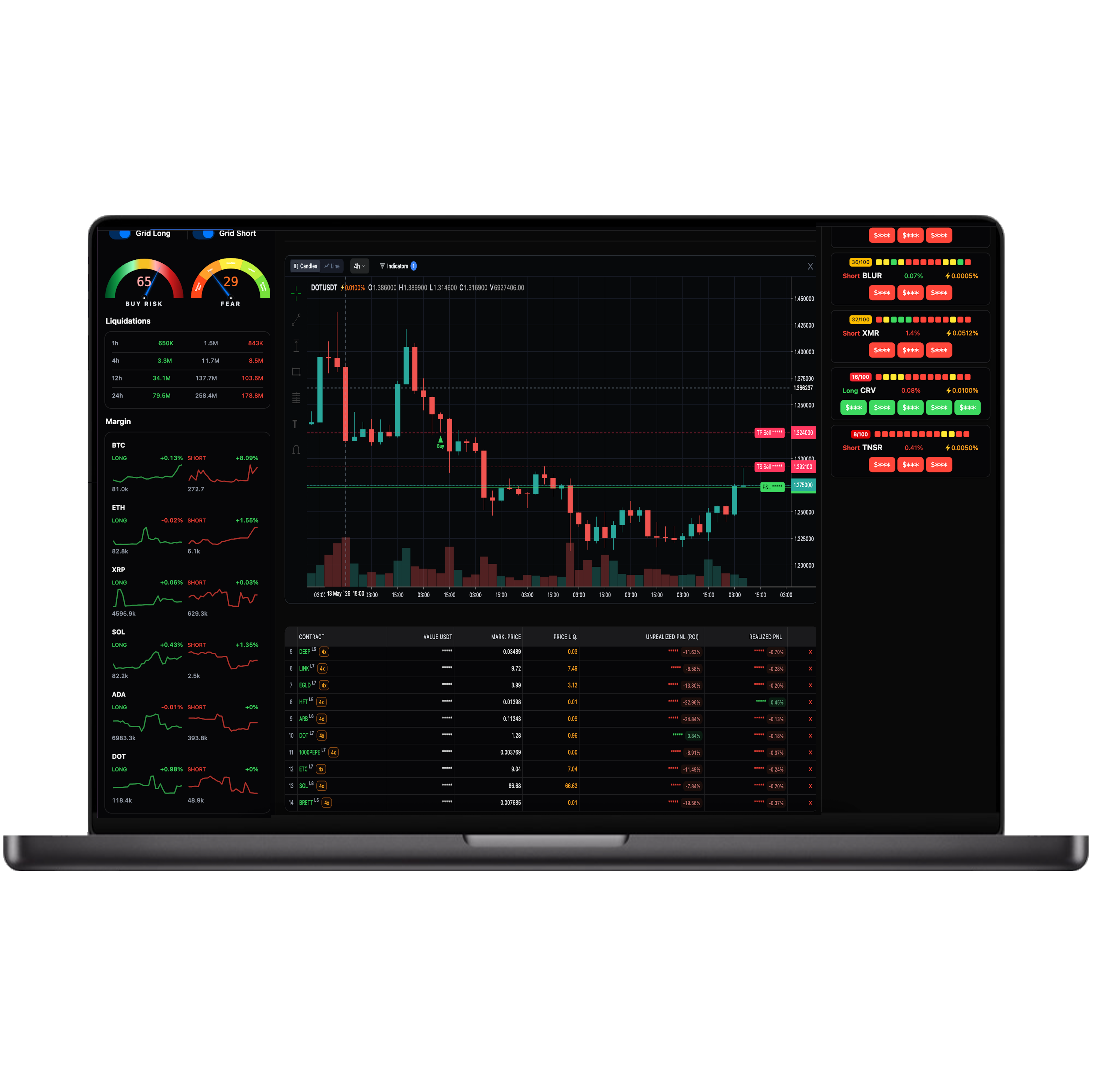
The ecosystem brings together high-performance instruments — SINDA Trade and SINDA Automatic — and lets you connect third-party terminals through API.

Everything runs from a single broker interface, so you spend your time on decisions, not setup.

SINDA Trade terminal on a laptop

A Win-Win model

We earn only when you do. A fixed fee is charged on profitable trades — and nothing at all on trades that don’t profit.

No subscriptions, no platform fees. Our incentive is your performance.

If a trade isn’t profitable, no commission is charged. Period.

30%

Success fee — charged on profit only

Trade at VIP-tier commissions

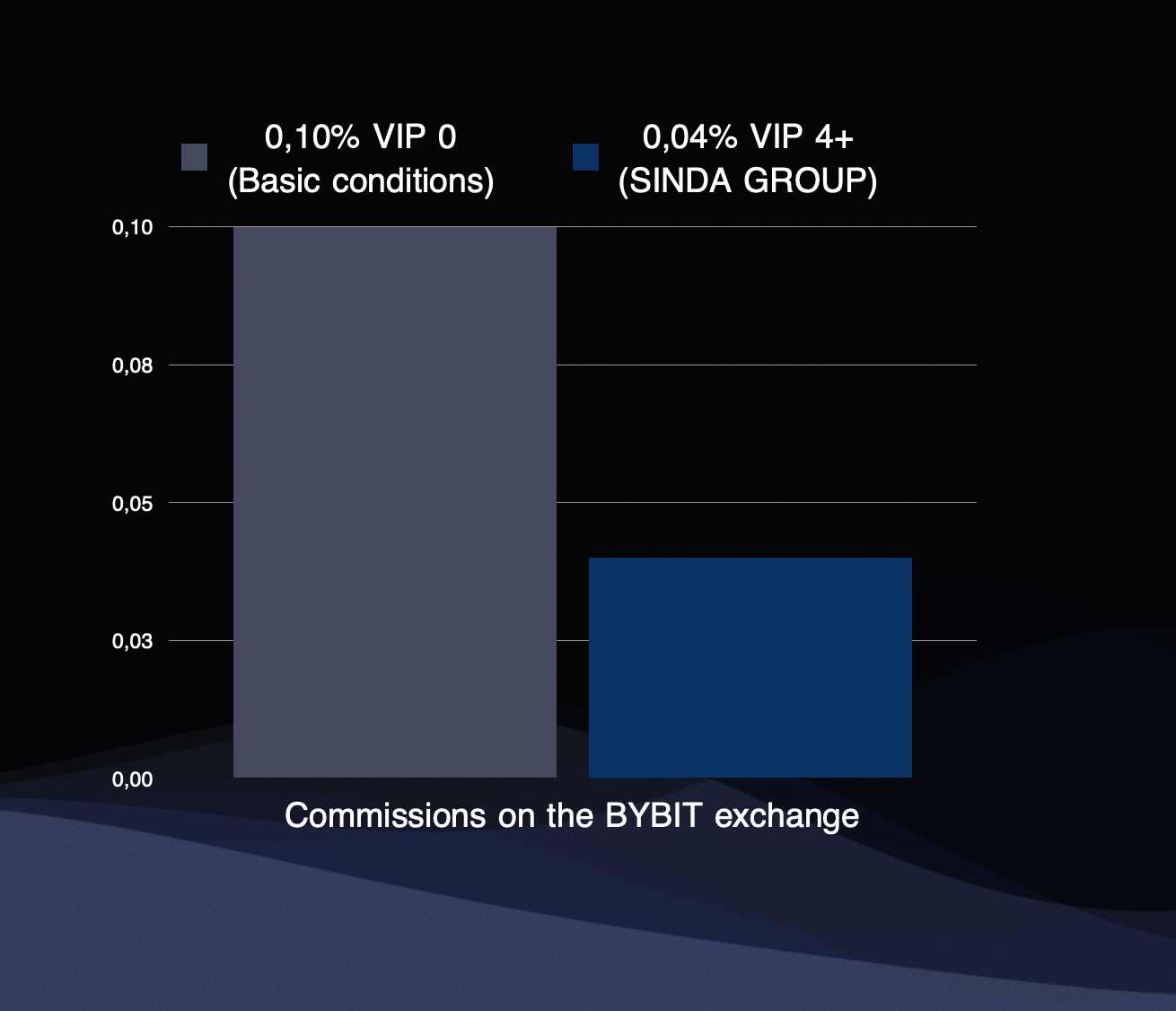
Most Bybit users trade on base terms (VIP 0). The ecosystem lowers your exchange fees to the VIP 4+ level — as if you held over $1,000,000 on your account.

Lower fees flow straight into the profit of every trade.

VIP 0 — base
0.1% to open and close a trade
VIP 4+ — ecosystem
0.04% to open and close a trade
Commission comparison: VIP 0 vs VIP 4+

Your funds stay yours

All funds sit in the ecosystem’s brokerage account, protected by Bybit, because that account is tied to your Bybit UID.

Withdraw any time. And you no longer need to create API keys to connect the exchange to the automation — simply being signed in to the broker is enough.

No API keys required

Connection is handled through a secure OAuth session with Bybit.

Getting started

Connect Bybit in three steps

Authorization takes three simple steps — no manual keys, no copy-paste.

Step 1 — Sign in

Open the ecosystem and click “Log in with Bybit”. You’ll sign in through Bybit’s secure OAuth — your credentials never touch us.

Log in with Bybit (OAuth)

Step 2 — Confirm OpenAPI

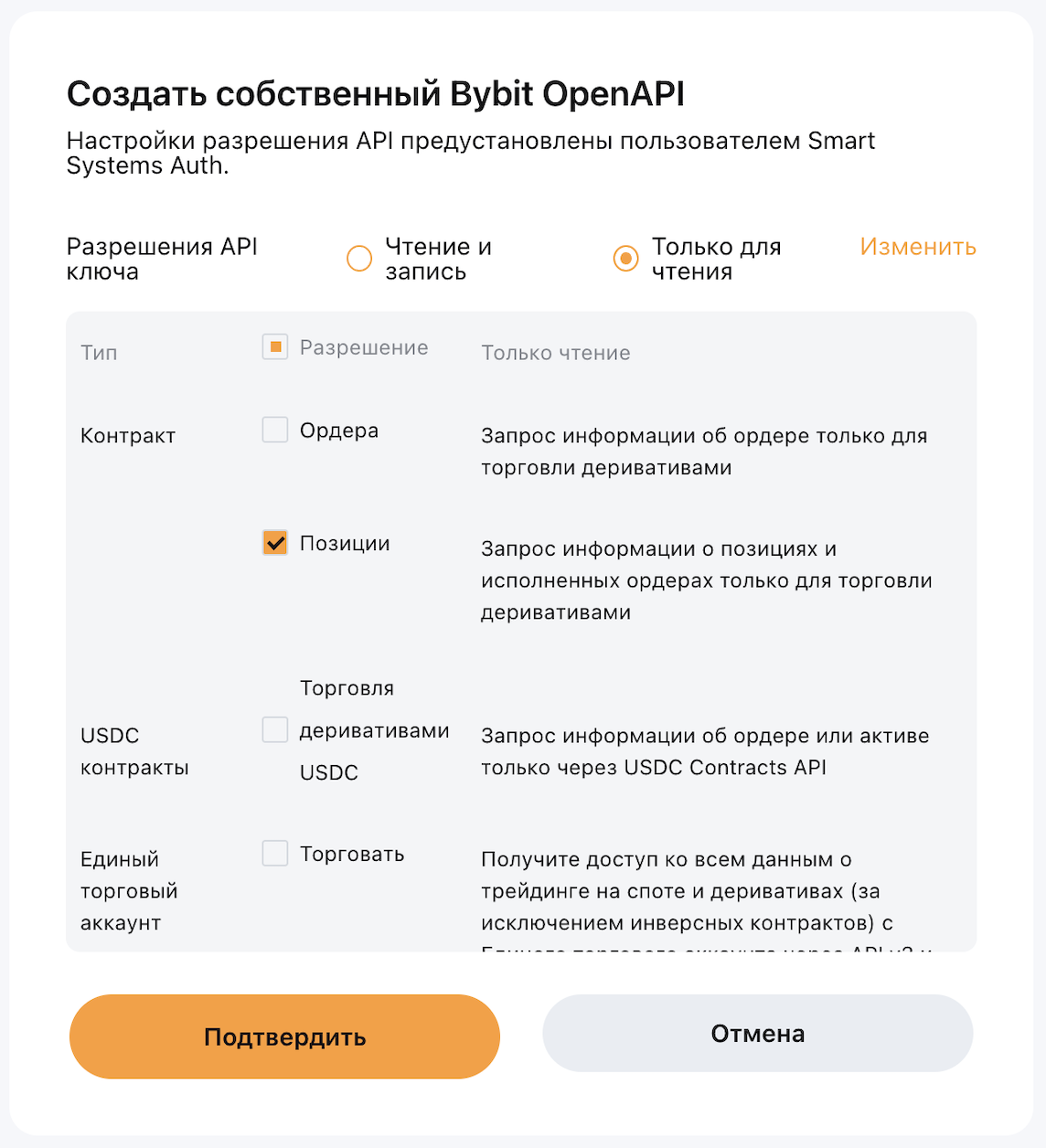
The system creates a Bybit OpenAPI connection with minimal permissions. Confirm it without changes.

Minimal permissions by design — the connection can trade, never withdraw to a third party.

Confirm Bybit OpenAPI permissions

Step 3 — Your broker interface

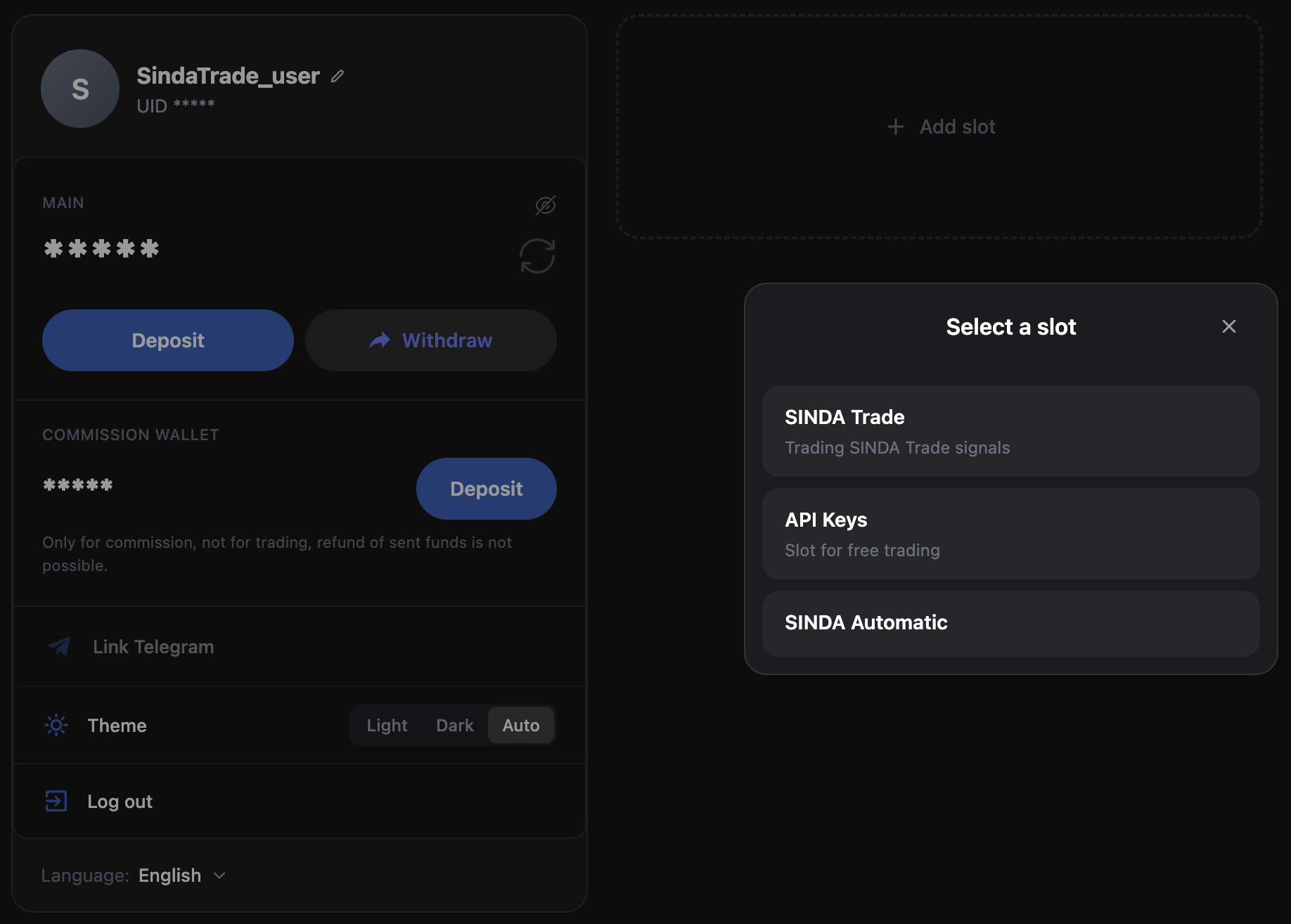
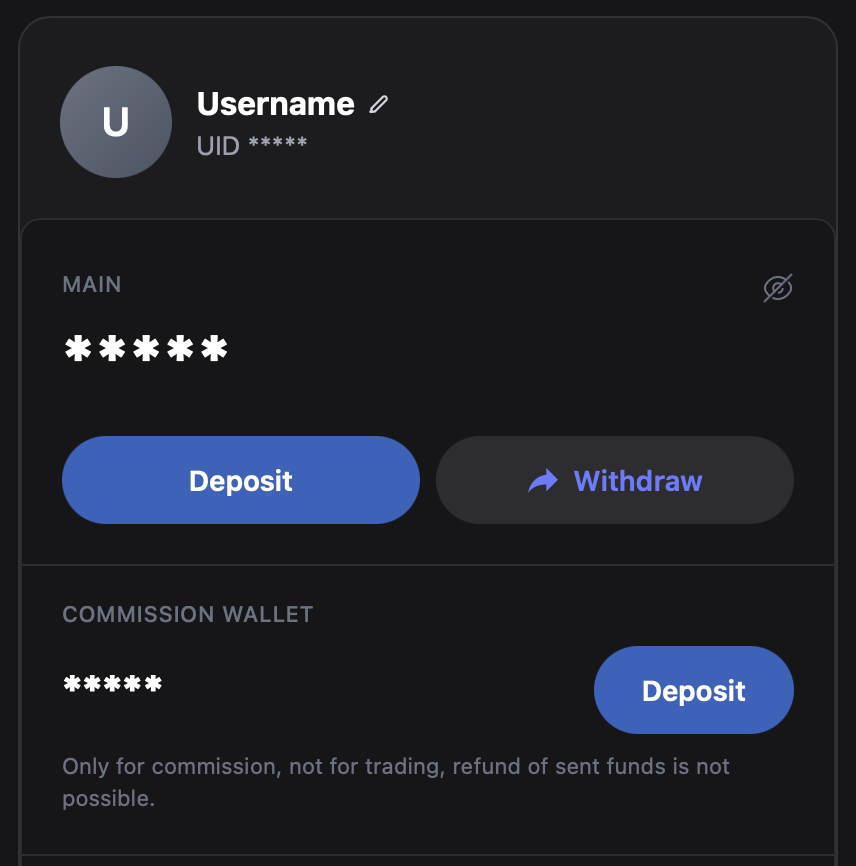
A dashboard opens with your Bybit UID, your main balance and your commission wallet.

Your UID is the account identifier used for deposits and withdrawals. Always use the ecosystem from the same account you fund it from.

UID
Your Bybit account identifier — the address deposits arrive to and withdrawals leave from.
Main balance
Funds used to top up the commission wallet and your trading slots.
Broker interface with UID and balance

Funding

Fund your account

Top up your ecosystem balance from Bybit, then put it to work — fund your trading slots and the commission wallet, and withdraw any time.

Get your deposit address

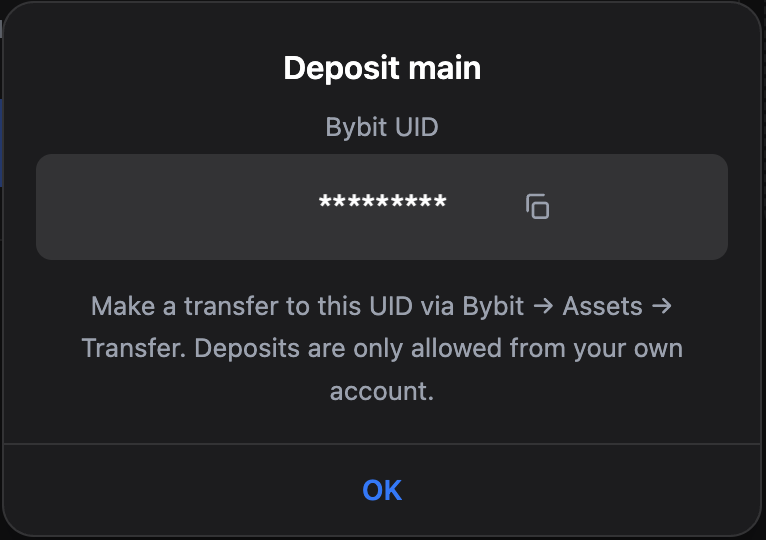
Press “Deposit” and you’ll see the UID to send $USDT to. Deposits are only accepted from the same account you signed in with.

Deposit menu showing the destination UID

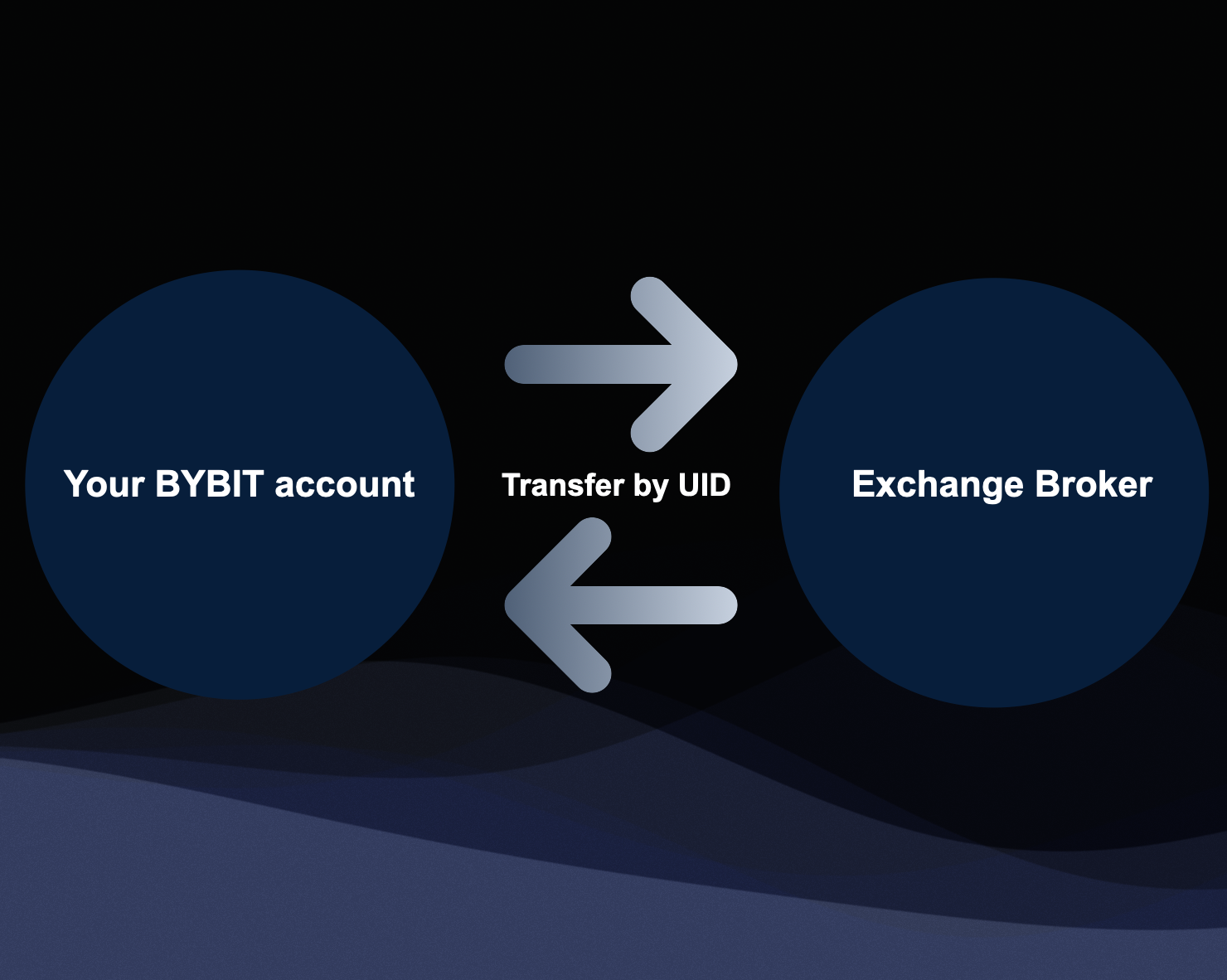
Internal transfer on Bybit

On Bybit open Assets → Withdraw → Withdraw Crypto, choose $USDT, then switch to “Internal Transfer”.

Enter the UID shown in the broker’s deposit menu, type the amount and confirm. The transfer is instant and free.

Use Internal Transfer, not an on-chain withdrawal — it’s instant and avoids network fees.

Bybit internal transfer of USDT

Put your balance to work

Your ecosystem balance is the hub. From it you fund two things: a trading slot — the money the algorithms actually trade with — and the commission wallet.

Whatever you don’t use stays yours: withdraw from your balance back to Bybit at any time.

Trading slot
Press “Top up” on a slot to move funds from your balance into it — that’s what the algorithms trade.
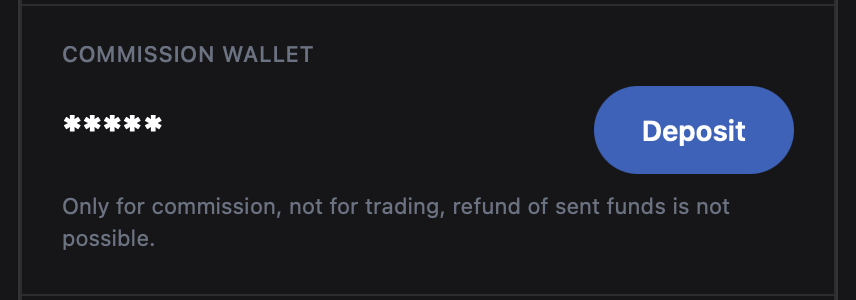
Commission wallet
Holds the funds that pay the success fee on profitable trades.
Withdraw
Send funds from your balance back to your Bybit account whenever you want.
Ecosystem balance with top-up and withdraw

Keep the commission wallet topped up

The commission wallet pays the success fee on profitable trades. Keep it positive so your trading account runs without interruption.

Top it up any time by moving funds from your main balance.

30%

Success fee — taken automatically on profit

Commission wallet

The platform

Three ways to trade

Each slot is a configuration. Pick the one that fits how you want to trade.

SINDA Trade

SINDA Trade — your hands on the controls

A deep market-analysis system that reads 4-hour candles and surfaces signals. You decide when to act.

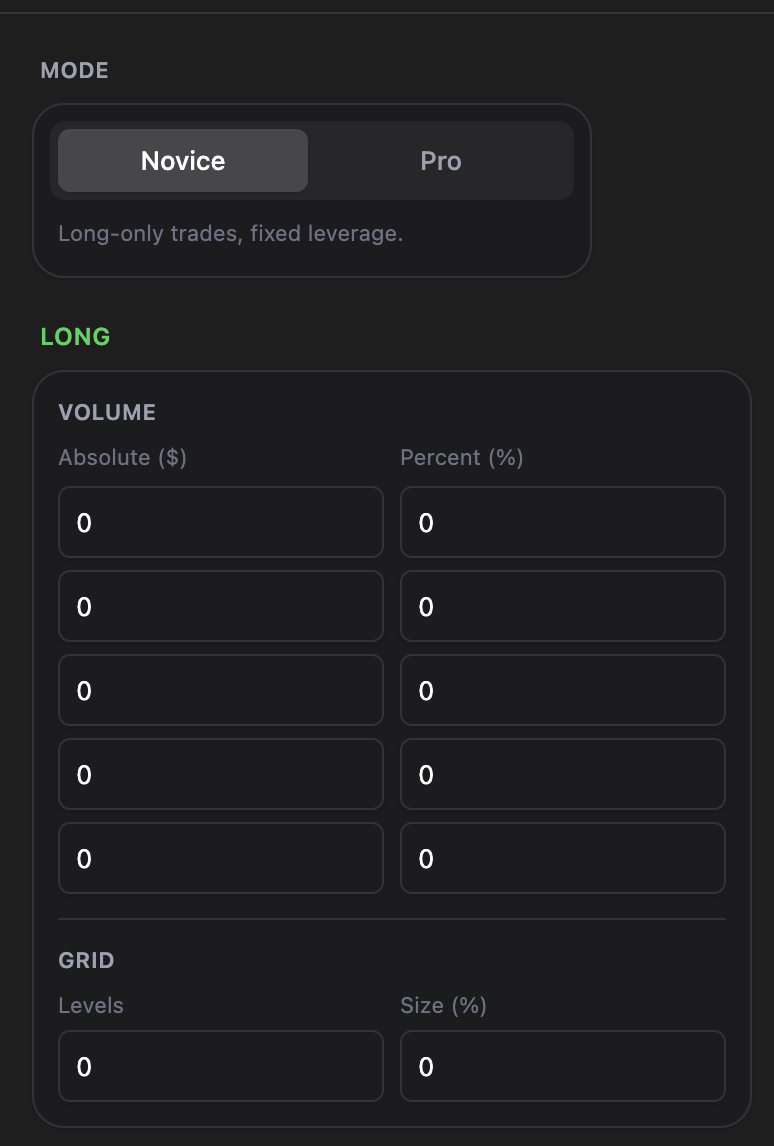
Novice mode

Novice mode opens Long positions only, at 1x leverage. Ideal for putting your budget to work with minimal risk.

SINDA Trade — Novice mode

Volume & the averaging grid

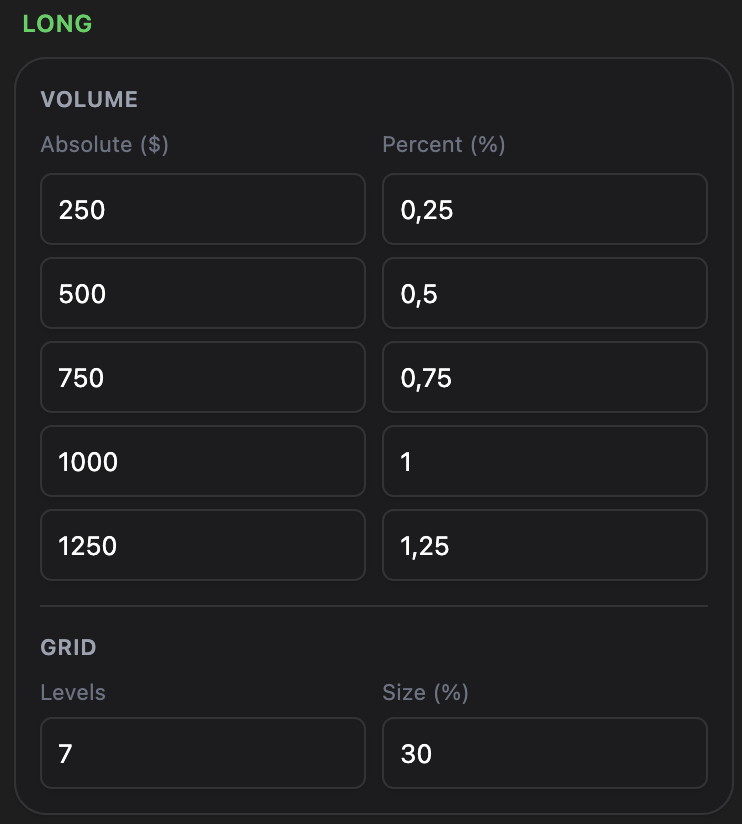
Set a volume per level — an absolute amount in $ or a percentage of your deposit. These act as quick-launch buttons for opening positions.

The grid then places averaging orders automatically. For example, 30% across 7 levels spreads seven orders evenly over a 30% range below entry — buying the dip for you.

Most coins on Bybit require a minimum order of ~$6, so a 7-level grid needs at least ~$42 reserved (some coins, e.g. BTC, more).

Volume and grid configuration

Pro mode

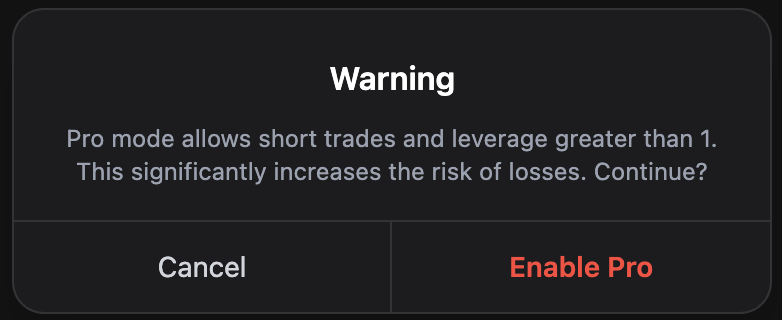
Pro mode unlocks both Long and Short positions and custom leverage. You’ll be warned about the added risk when you switch — trading above 1x can amplify losses as well as gains.

Leverage above 1x introduces a liquidation price. Trade Pro only if you accept the risk.

SINDA Trade — Pro mode

Reading a signal

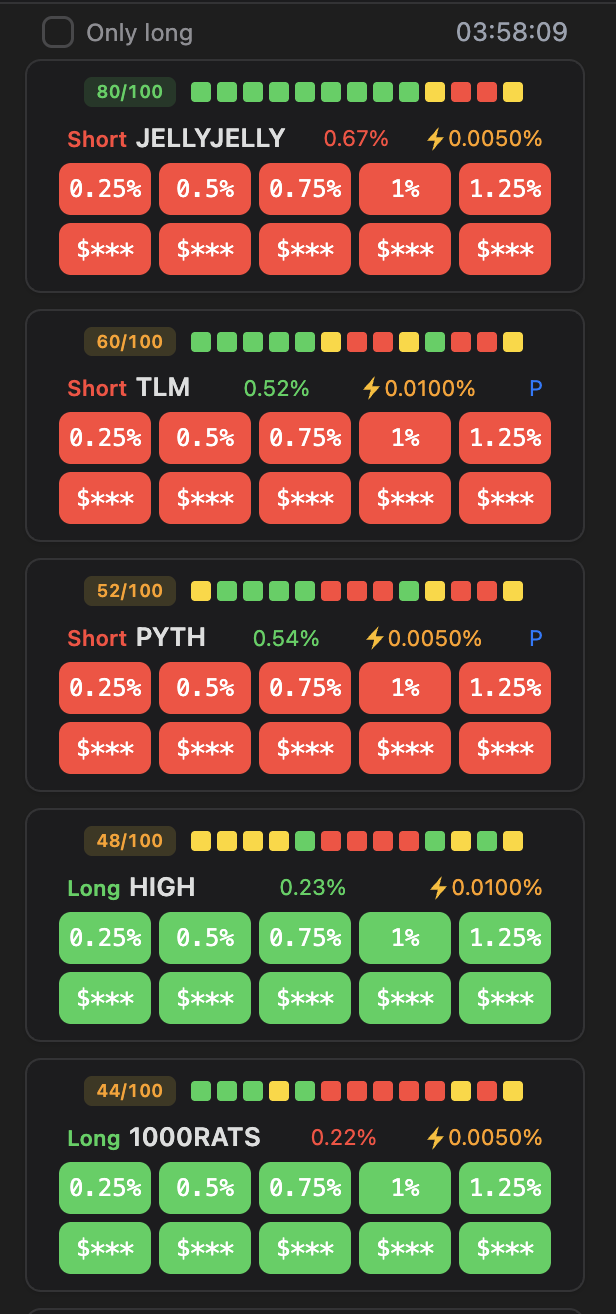
Signals refresh every 4 hours. Each one tells you the side, the confidence and how the price has moved since the signal appeared.

x / 100
Signal confidence from historical performance — higher means a stronger statistical edge.
Strength squares
Per-metric score: green positive, red negative, yellow neutral — together they form the signal’s strength.
Long / Short
The direction the position will open in.
% deviation
How far price has moved since the signal — green = a better entry now, red = worse.
Funding ⚡
A fee traders pay each other to hold futures positions — it keeps the futures price near spot.
Signal anatomy

Opening & reading a position

Top up the slot, enable the Long/Short grids, and tap a volume button to open — here, $30 on SOL. The position appears front and centre with everything you need to manage it.

An open position with its parameters
1
Contract
The traded token (e.g. SOL), the number of active averaging orders (L4) and the leverage (1x).
2
Value USDT
The size of the position — how much is invested in it.
3
Mark price
The current market price of the asset.
4
TP / TS
Take-Profit closes the position at the signal’s final target; Trail-Stop is the first profit-lock that follows the price up.
5
Liq. price
The price at which the position is force-closed. There is none for Long at 1x.
6
Unrealized PNL (ROI)
The floating result vs. entry — it keeps changing until you close.
7
Realized PNL
Profit or loss already locked in from closed parts of the position.

Managing & closing a position

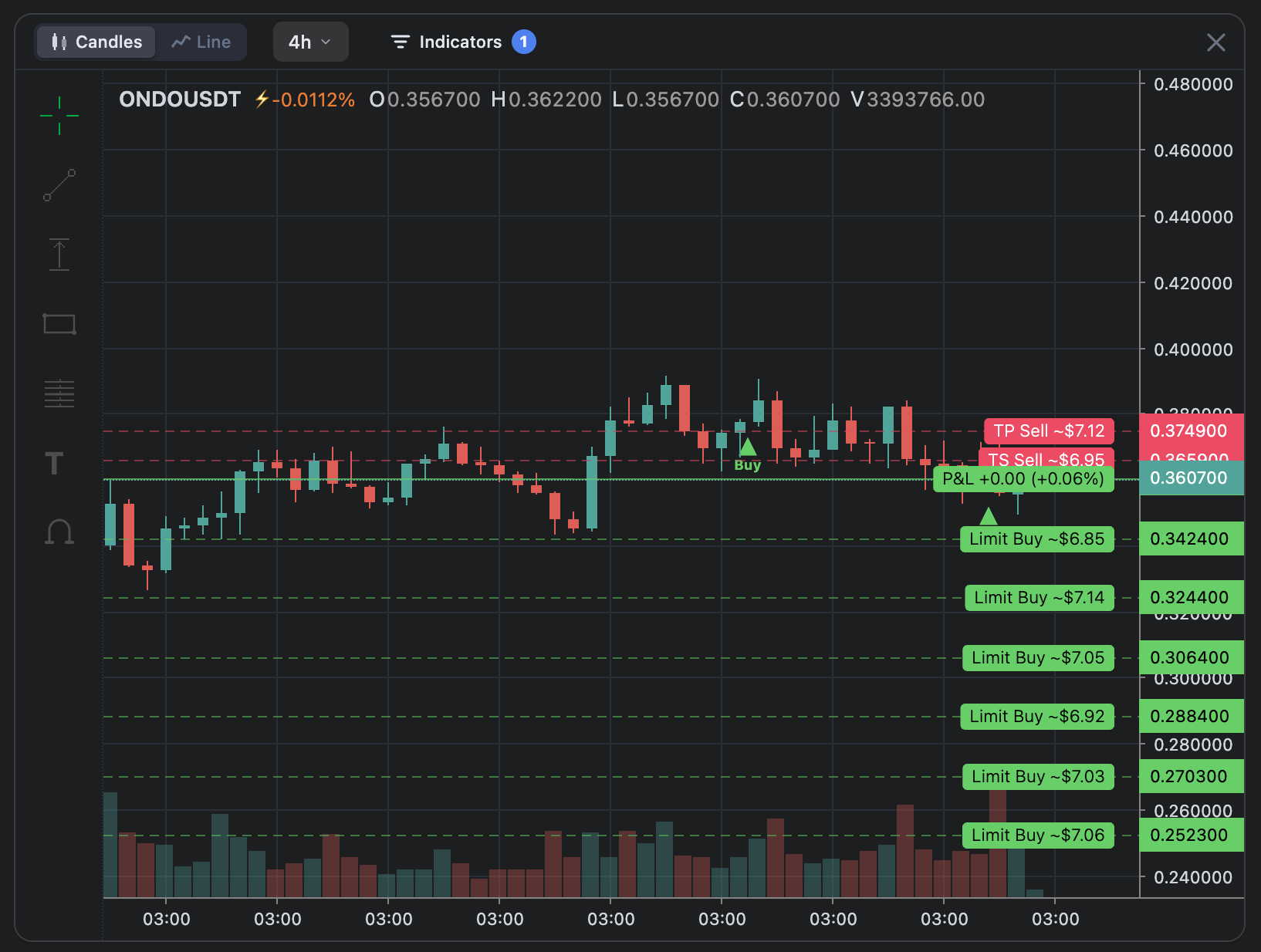
Open the position on the chart to see everything in context — your take-profit and trailing-stop levels, the live P&L and your averaging grid.

Change leverage any time

Tap the yellow leverage button in the Contract cell and pick a new value. Above 1x, a liquidation price appears.

Close (×)
Closes the position at the current market price.

TP Sell
Take-profit — closes the position fully at the signal’s final target.
TS Sell
Trailing stop — the first profit point; once touched it places limit sell orders so you keep profit even on a pullback.
P&L
Your current unrealized result at the live price — shown in $ (P&L) and % (ROI).
Limit Buy
Your pre-set averaging orders — here five, spread evenly across a 5% range.
Open ONDO position on the chart — TP, TS, P&L and Limit Buy levels

SINDA Automatic

SINDA Automatic — the autopilot

A trading system that analyses the market in depth and builds a heatmap of the most promising tokens — then trades them for you, conservatively, in Long at 1x.

Set it, and let it run

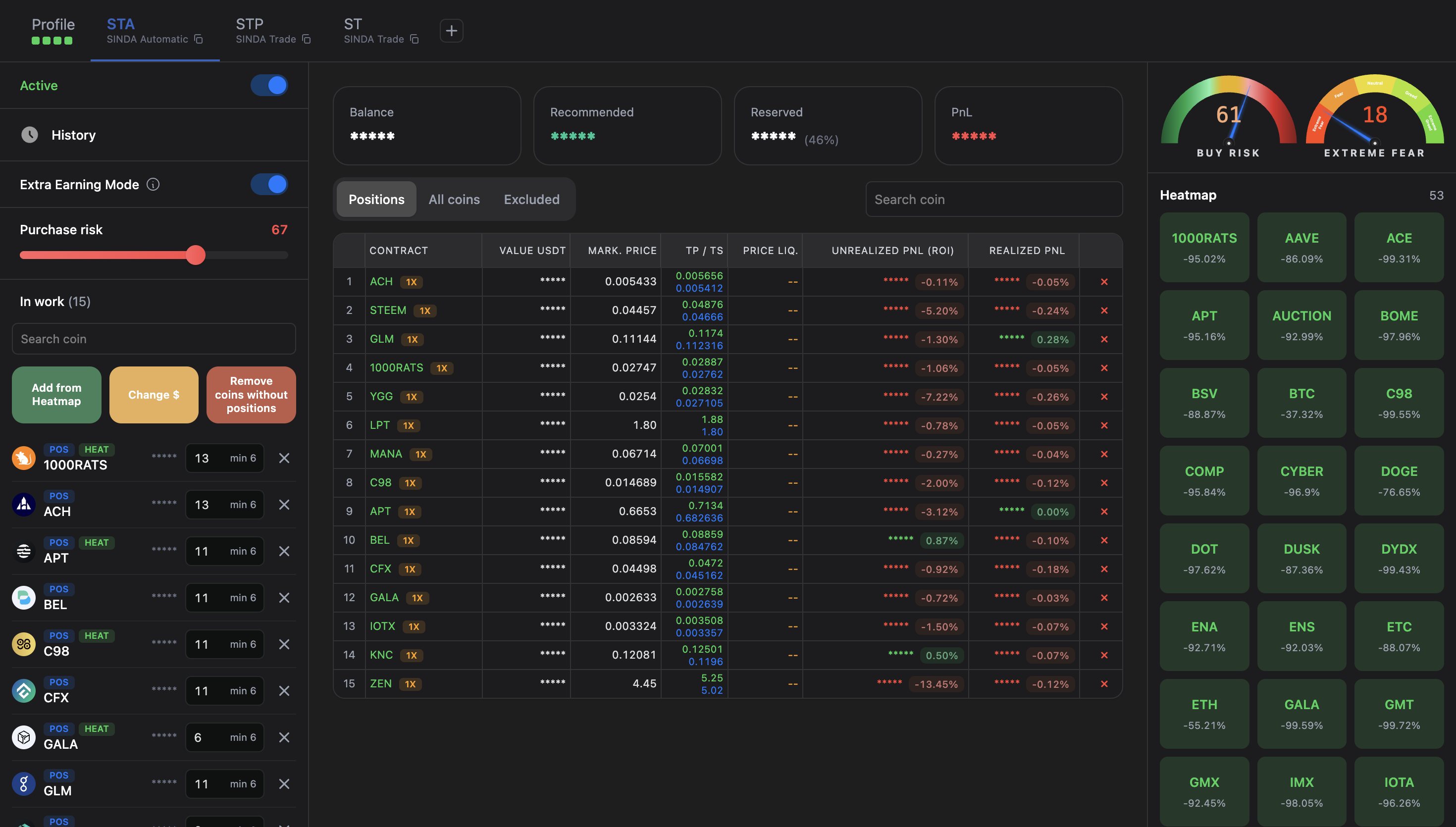
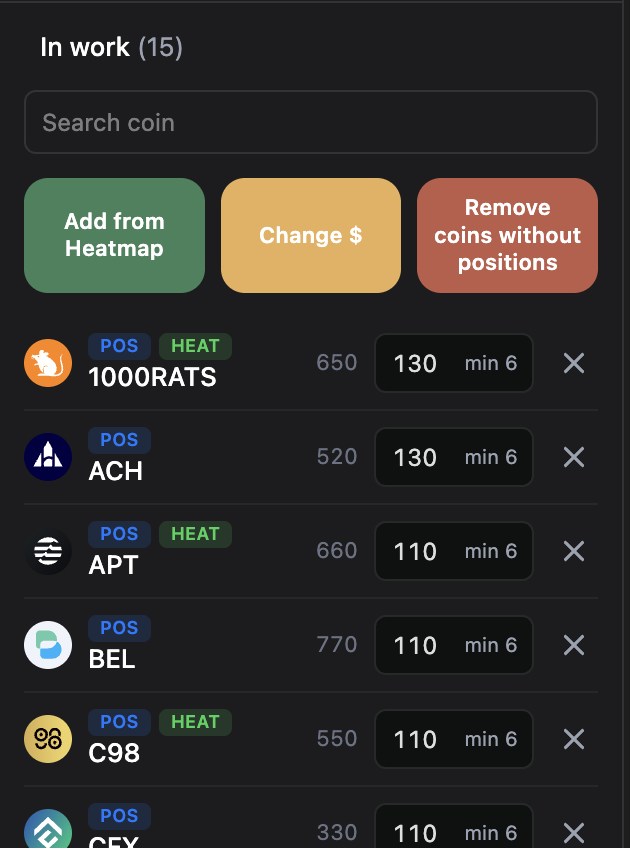
Three panels: “In work” shows the tokens currently traded; the configuration panel turns the platform on/off, opens your trade history, toggles “Extra Earning Mode” and tunes buy-risk; and the Heatmap is the engine.

SINDA Automatic overview

The Heatmap

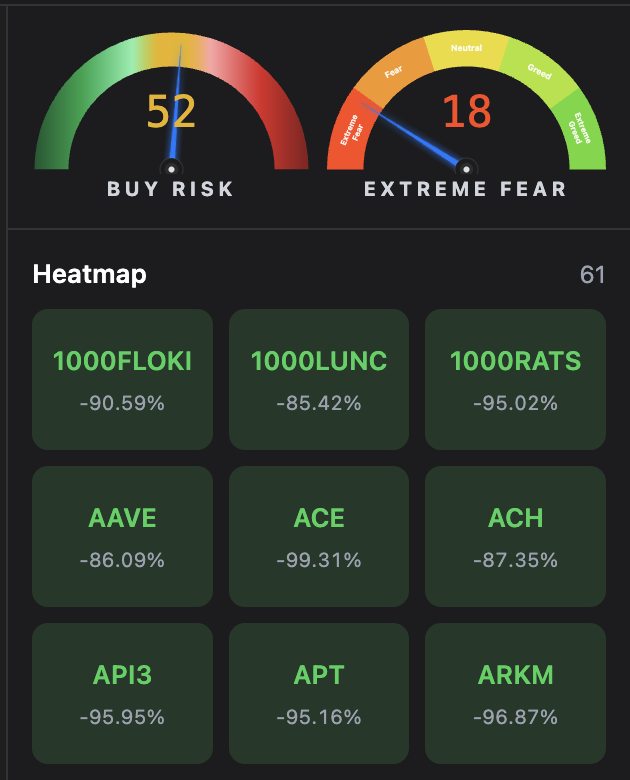
The core algorithm analyses the market and builds a constantly-updated list of the most promising tokens. Weakening tokens drop off; promising ones are added. SINDA Automatic only trades tokens on the Heatmap.

The SINDA Automatic Heatmap
52Buy Risk
18Fear & GreedExtreme Fear
The Heatmap
Buying and averaging happen once a day, at 00:00 UTC.

Settings

Press “Add from Heatmap” to move the current list into “In work”. Because the Heatmap keeps changing, add tokens as close to 00:00 UTC as you can. You can also set a minimum price for all positions, or remove tokens that have no open positions.

SINDA Automatic settings

Per-token deposits

Each token gets its own deposit, sized from historical data and the current market phase, reserved for averaging if price drops. Deposits never overlap — each is ring-fenced for its token. If a token can be brought to profit without averaging, its deposit simply isn’t used.

A larger computed deposit means the algorithm can patiently work a token back to profit.

Trades, commission & positions

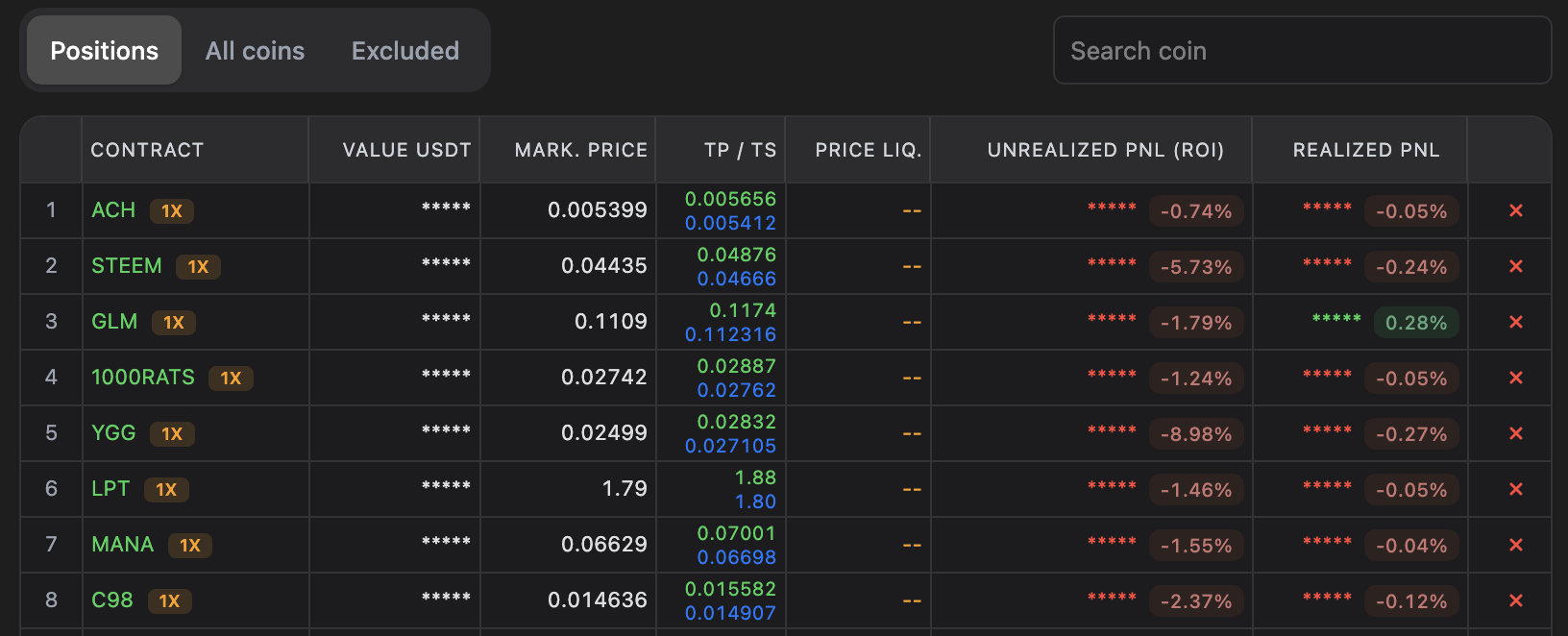
Trades open and close automatically, always Long at 1x. After a profitable trade closes, the 30% success fee is taken from your commission wallet automatically.

Contract
The traded token (e.g. AAVE) — here the 1x leverage is fixed and can’t be changed.
USDT value
The size of the position and how much is invested in it.
Mark price
The current market price of the asset.
TP / Trail Stop
The prices at which the Take-Profit and Trail-Stop orders sit.
Liq. price
The price at which the position would be force-closed. None for Long at 1x.
Unrealized PNL (ROI)
The floating result vs. entry — changes until you close.
Realized PNL
Profit or loss already locked in from closed parts of the position.
Close (×)
Closes the position at the current market price.
SINDA Automatic positions

You're cleared for autopilot

Open the ecosystem, connect in three steps and let SINDA Trade and SINDA Automatic do the work. You only pay when you profit.

Open Sinda Broker
Start investing